Respect for real life Working Codes
Track promo drops after updates, redeem safely in-game, and never fall for free Robux scams.
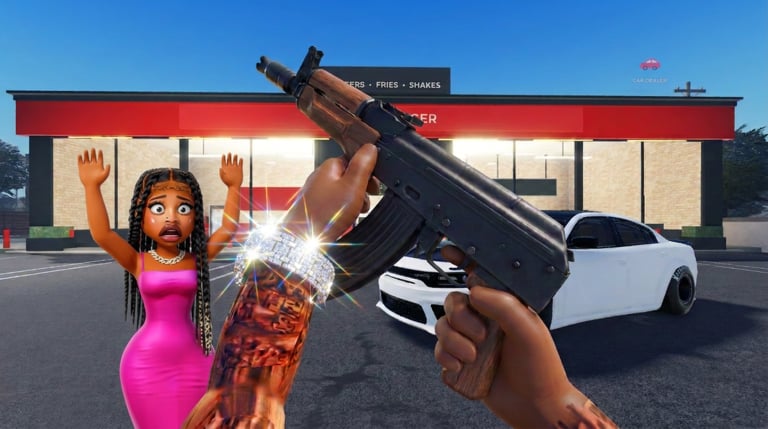
Promo codes in Respect for real life (Realistic RP on Roblox) are short strings the developers release after milestones, seasonal events, or content updates. They usually grant cash boosts, cosmetic unlocks, or convenience items inside the city—not Robux. This Codes Hub explains when codes appear, how to redeem them, and how to verify live status without chasing expired lists.
Current codes status (honest)
Active promo lists change quickly. We still do not invent working codes or paste fake strings to fill a table. At the time of writing, treat any static list you see elsewhere as provisional until you confirm it yourself.
After the November 2026 Roblox page update wave (including the Nov 9, 2026 stamp noted on Updates), recheck official sources before assuming old community screenshots still work:
- Check the official Roblox game description and creator group shout.
- Scan developer Discord or community channels pinned from the experience page.
- Test one candidate string in a private or low-stakes session so you know the UI path still works.
If no codes are live, that is normal for many Roblox city RP titles between promotions—even near visit milestones around the 2.1M+ range. Bookmark this page and recheck after every patch noted on Updates. We will not invent working codes or promise unlimited cash.
How codes usually appear
Respect for real life–style experiences drop codes when:
- A major update ships (cars, jobs, phone/Scene tools, housing, campus, or style).
- The game hits a visit, favorite, or like milestone.
- Holiday or collab events run for a limited window.
- Creators run social campaigns (follow, like, or group join prompts).
Codes almost never grant free Robux. Robux only comes from Roblox itself or legitimate gift cards you purchase. Any Discord DM offering “code for free Robux” is a scam—close it.
How to redeem (example steps)
Exact button labels can shift after UI updates, but the loop is consistent across Realistic RP–style games:
- Launch Respect for real life from Roblox and finish or skip into the city so your character can open menus.
- Look for a Codes, Shop, Rewards, or Twitter/X bird icon on the HUD or phone apps.
- Open the redeem field. On mobile, tap carefully so the on-screen keyboard does not hide the submit button.
- Paste the code exactly—no spaces before or after. Codes are often case-sensitive.
- Confirm. Success usually shows a toast, cash tick, or inventory popup. Failure messages mean expired, mistyped, or already claimed.
- If nothing happens, rejoin once, then verify you are on the official experience—not a copycat place.
After a successful redeem, bank the cash toward systems that matter long-term—not impulse mall spam. Pair this page with Jobs and Money, Homes and Apartments, Cars and Driving, and the Tier List so rewards are not wasted.
Tips that save time
- Redeem early in a session. Some rewards apply cleanly before you clock into a job or start a heist.
- One account, one claim. Alt abuse can violate experience rules and waste your time when codes are single-use per user.
- Screenshot working codes with the date. Community lists go stale; your own note ages better.
- Do not pay for code lists. Free community posts and official channels are enough.
- New players first. If you just spawned, complete the tutorial covered in Getting Started and open the phone once via Phone and Social so menus actually respond.
After you redeem — spend on homes and cars smartly
Cash injections feel great, but the city still expects a plan. Use early boosts to:
- Unlock a reliable civilian job loop (fast food, construction, hospital, bank teller, or teacher paths).
- Claim a basic apartment so you have a safe and spawn point—see Homes and Apartments.
- Buy a modest car before luxury paint jobs—see Cars and Driving.
- Fund school days at Sunhaven University if you are on the student or teacher route—School and Campus.
If you prefer outlaw play, remember codes do not replace RP etiquette. Read Police and Crime and Players before flashing sudden wealth in public RP.
Scams and false codes
Watch for these red flags:
- Links that ask you to log in outside Roblox.
- “Generators” that require downloads or executors.
- Codes that look like passwords or credit card numbers.
- People asking you to prove ownership by sharing account cookies.
When unsure, ignore the code and return to this hub or the Links page for the official play URL only.
Keeping this page useful
We prioritize redemption clarity and safety over inflated “50 working codes” clickbait. After each update wave—including November 2026 stamps—recheck the official Roblox page and group, then come back here and to Updates. For day-one context, stay with Guides. Codes are a bonus—jobs, homes, cars, and smart spending still carry your life sim forward.
Frequently Asked Questions
Quick answers for city life, jobs, police, and codes.
Where do I redeem codes in Respect for real life?
Open the in-game Codes, Shop, Rewards, or bird-icon UI from the HUD or phone, paste the string exactly, and confirm. Labels can change after updates.
Are there working codes right now?
Lists expire fast. After Nov 2026 updates, recheck the official Roblox page, group shout, and developer Discord, then test carefully. This hub will not invent active strings.
Do codes give free Robux?
No. Promo codes only grant in-game rewards. Free Robux promises are scams.
Why did my code fail?
It may be expired, mistyped, already claimed, or entered on a wrong copy of the experience. Rejoin the official game and try once more.
What should I spend code rewards on?
Prioritize a stable job loop, a basic home, and a reliable car. Use Homes and Apartments, Cars and Driving, Jobs and Money, and the Tier List before luxury cosmetics.